
- Genre
- Simulation
- Players
- 1
- Works on phone
- Yes
How to play
- Read the harbourmaster's brief that opens on screen; you run Terminal 2 at Port Mumbai.
- Watch the vessel tracker at the bottom: each ship moves from arrived to anchor, berth, discharge, load and sailed.
- Send waiting ships to open berths from the Berths panel.
- Speed the clock up with the 1x, 2x and 4x buttons at the top.
Tips
- Use the speed buttons once you understand a berth, because a ship takes a while.
- Check the wind and crane limit in the top-left card before big moves.
- The brief at the start explains the yard plan; keep it open for the first minute.
About TheTerminal
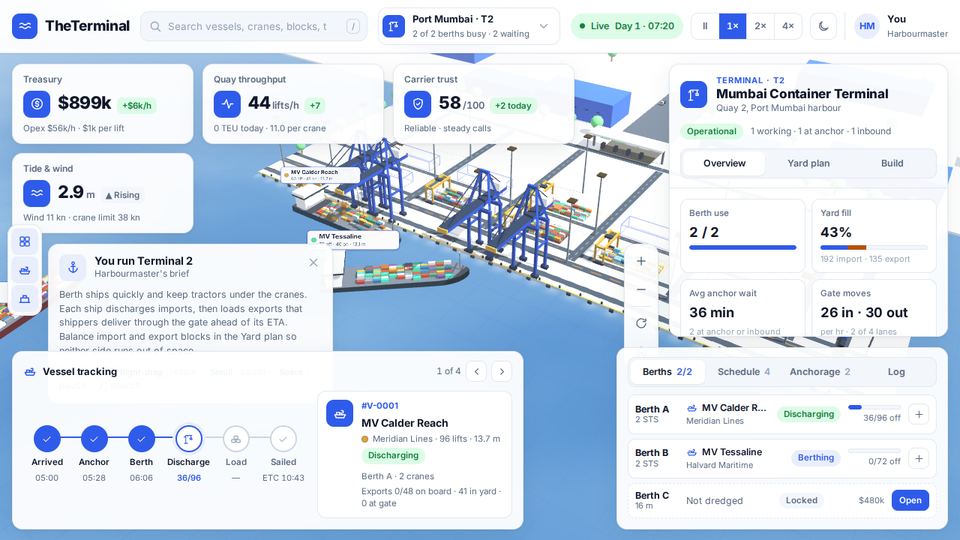
TheTerminal is a management game about a container terminal, drawn as a live 3D port with blue cranes and stacked boxes under a dashboard. You are the harbourmaster of Terminal 2 at Port Mumbai, starting on Day 1 at 7 in the morning.
You begin with about $900,000 in the treasury, two berths and a list of ships waiting to dock. Each ship moves from arrived to anchor, berth, discharge, load and sailed, and you send waiting ships to open berths. Cards show quay throughput in moves an hour, yard fill, wind and a carrier trust score out of 100.
The clock runs live and speeds up to 2x and 4x. On a phone the panels collapse into a bottom tab bar with Overview, Berths, Track and Build. It was made by Datoway under an MIT licence.
Is TheTerminal free?
Yes. It plays free in your browser, with no download and no account.
What do you manage in TheTerminal?
You manage a container port: assigning ships to berths and handling the movement of their cargo. The starting port statistics help you see how each ship changes the operation.
Does TheTerminal work on a phone?
Yes. On a phone-sized screen the panels collapse into a bottom tab bar with Overview, Berths, Track and Build.
Can I make a game like this?
Yes. Follow the Claude Code build guide, then choose a game template. Make one like this