
- Genre
- Racing
- Players
- 2 · Same keyboard
- Keys
- P1 W A S D, P2 arrows
- Length
- 3 laps a race
- Made with
- Claude
- Maker
- adong
How to play
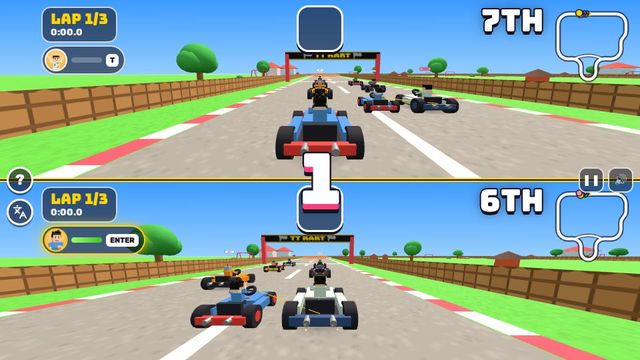
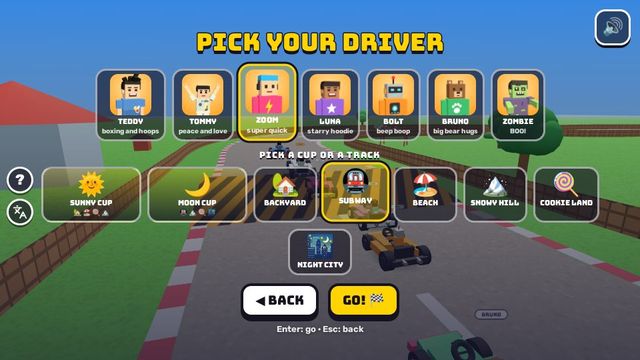
- Choose 2 Players for a split-screen race, then pick drivers and a cup or track.
- Player one drives with WASD; player two uses the arrows.
- Hop with F or Space for player one and K for player two. Hold hop while steering to drift.
- Use the collected item with G for player one or L for player two.
Tips
- Choose Easy to learn the circuit with automatic acceleration.
- Hold hop while steering through a bend to drift: F or Space for player one, K for player two.
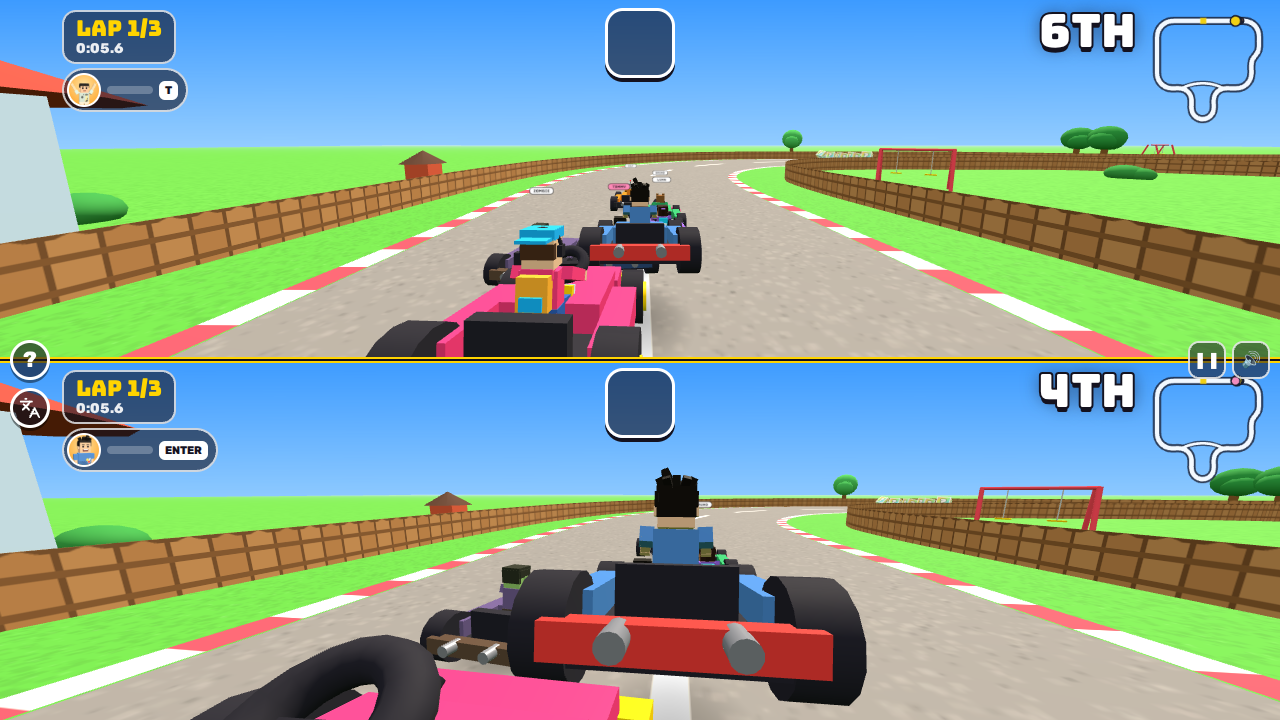
- Watch your own minimap and lap counter; each half of the split screen has its own.
Tested play
- Controls
- Press Enter on the title screen and again on the driver and track screen to start a solo race. Hold W to accelerate, steer left with A or right with D, and press F to hop. G does nothing when the item slot is empty.
- What happened in our test
- Lap 2 began at 0:44.7 on the game clock. The test run ended during lap three, at 1:31.5 on that clock.
- How to win or where it stops
- Race placement is decided after three laps.
- What trips new players
- Bumping the track edges can cost you places even while you hold W.
About TT Kart
TT Kart is a cartoon kart racer with a three-lap counter, item pickups and a split-screen option for two people. Choose 2 Players for Teddy and Tommy, pick your drivers and select a cup or a track. Each person gets a separate view of the circuit, with their own position, lap time and minimap.
Easy keeps the accelerator on and helps with steering. Normal asks you to drive and rewards drifting with boosts. Player one uses WASD; player two uses the arrows. Hold a hop button while steering to drift through a bend, then use the item key when you have a pickup. The starting grid puts other karts all around you, so learn the first bend before worrying about your finishing position.
Can two people play TT Kart on one keyboard?
Yes. Choose 2 Players. Player one drives with WASD and player two with the arrows; each gets a separate view of the race.
What changes between Easy and Normal?
Easy provides automatic acceleration and steering help. Normal gives you manual driving and drift boosts.
How do I start a solo TT Kart race?
Press Enter at the title, then Enter again on the driver and track screen.
Game screens
Open the maker's game · Read the maker's project · About Claude Code