
Clicker Game
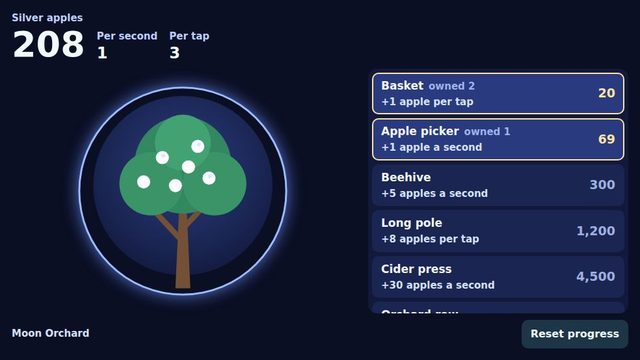
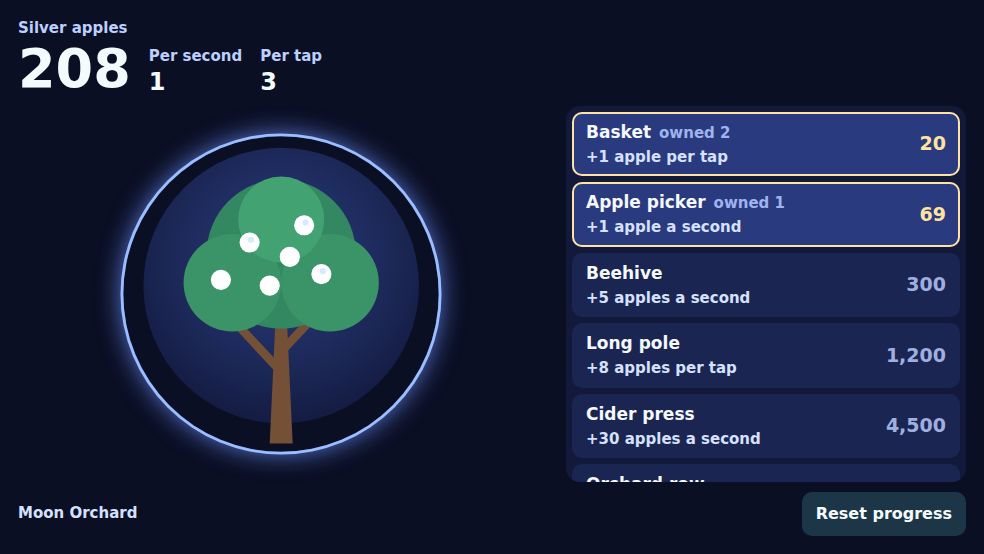
Moon Orchard is a clicker game where you shake a moonlit apple tree to earn silver apples, then spend them on seven upgrades that raise your apples per tap or per second.
- Genre
- Simulation
- Players
- 1
- Works on phone
- Yes
- Length
- Plays as long as you like
How to play
- Click or tap the tree to shake down apples. Each tap earns your apples per tap, shown at the top.
- Press an upgrade to buy it when it lights up with a gold outline. The number keys 1 to 7 buy the upgrades in the order listed.
- Reset progress asks twice: the first click only changes the button to Tap again to erase everything.
Tips
- Buy the Basket and the Apple picker first. At 15 and 60 apples they are the cheapest, and the picker keeps earning while you read the next price.
- Spread your purchases across the upgrades instead of buying one many times, because each copy costs more than the last.
- Close the page whenever you like. The orchard keeps producing for up to one hour while the page is closed, then tells you what it made.
About Clicker Game
Clicker Game is an idle clicker called Moon Orchard, with one currency, silver apples. A tap on the tree earns 1 apple to start. Seven upgrades raise your apples per tap or per second: Basket, Apple picker, Beehive, Long pole, Cider press, Orchard row and Moon well. They start at 15, 60, 300, 1,200, 4,500, 24,000 and 130,000 apples.
Every upgrade gets 15 percent dearer each time you buy it, rounded up, so the Basket goes 15, 18, 20. The Moon well adds 1,000 apples a second, and in a simulated run at four taps a second, buying the cheapest upgrade you can afford each second, the first Moon well arrives after 41 minutes.
Two kinds of upgrade share the list. The Basket and the Long pole raise what each tap earns, and the other five earn every second. With one of each, a tap earns 10 apples and the orchard makes 1,216 apples a second.
What is a clicker game?
Wikipedia calls games that emphasize active input, such as clicking a button to generate resources, clicker games, and games centred on automation idle games. This one is both: you tap, and the upgrades keep earning after you stop.
What is the difference between a clicker game and an idle game?
In a clicker game your clicks do most of the earning. In an idle game the automation does. Here the tree pays per tap, and five of the seven upgrades pay per second without any input.
Does this clicker game save my progress?
Yes, in your browser's localStorage, every 5 seconds and when you leave the page. MDN says localStorage data is saved across browser sessions and is specific to the site's protocol. Clearing the site's data or using a private window starts again from zero, and another browser or device starts fresh.
Is this clicker game free?
Yes. It plays free in your browser from one 13 kB file, with no download and no account.
About the rules and tools
- Wikipedia: Incremental game. Source of the clicker and idle definitions on this page.
- MDN: Window.localStorage. Says localStorage data is saved across browser sessions. This is how the game keeps your orchard.
How this game was made
The theme, upgrade table, prices and look were written for this game. The price curve was checked in Node by 20 rules checks, and a real browser played it by mouse, key and touch in 26 checks, including a reload that kept the upgrades and a save planted 30 minutes in the past that paid 3,600 apples.
This was the prompt:
Make an idle clicker game in the One-Shot Games kit. Click to earn, at least six upgrades with rising prices, earnings per second, progress saved in localStorage and a reset button. Our own theme, name and look.
- Build time
- 3.1 minutes
- Model cost
- $0.73
- Game file
- 12.9 kB
Claude Sonnet 5.5 wrote and tested this game in Claude Code with the One-Shot Games kit. The kit measured the time and the cost. Open the build measurements.