
- Genre
- Adventure
- Players
- 1
- Works on phone
- Partly
- Length
- About 20 minutes
- Made with
- Claude
- Maker
- chichiroxursox-droid
How to play
- Pick "Dive in (3D)" or "Map mode (no 3D)" on the first screen.
- In 3D, walk with WASD, run with Shift, and drag the mouse to look around.
- Press E at a lab door to open it, F to kick a ball, T for token goggles.
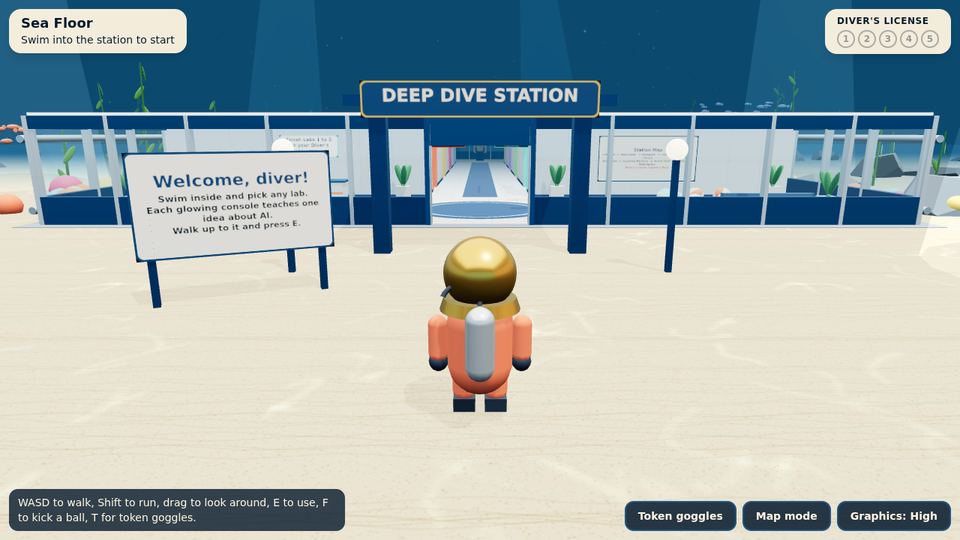
- Swim into the station to start, then work through the numbered labs to earn your diver's license.
Tips
- Map mode is the fast way in: it works with a keyboard alone and loads quickly.
- Turn on token goggles (T) early; the labs make more sense once you can see the tokens.
- Graphics can be lowered from the bottom bar if the 3D view stutters.
- A good class warm-up: it fits in one lesson.
About Deep Dive
Deep Dive puts you in a glass research station on the sea floor. A small robot called Pip guides you through eight labs, and each lab explains one idea about how chatbots work.
The labs cover how text is cut into tokens, how a model guesses the next word, why a chat can only hold so much at once, how to give a robot chef exact instructions and how to fact-check an answer. A license card in the corner fills as you finish labs.
It is built for kids of about 10 to 14 and for teachers. The page says it needs no account and never talks to a live AI. Phones and slower computers get a map mode that lists the same labs.
Is Deep Dive free?
Yes. It plays free in your browser, with no download and no account.
How long does Deep Dive take?
About 20 minutes for all eight labs, according to the maker.
Does Deep Dive work on a phone?
Partly. Phones get a map mode that lists the eight labs; walking the 3D station needs a keyboard.
Can I make a game like this?
Yes. Follow the Claude Code build guide, then choose a game template. Make one like this