
Minesweeper: Copperfield
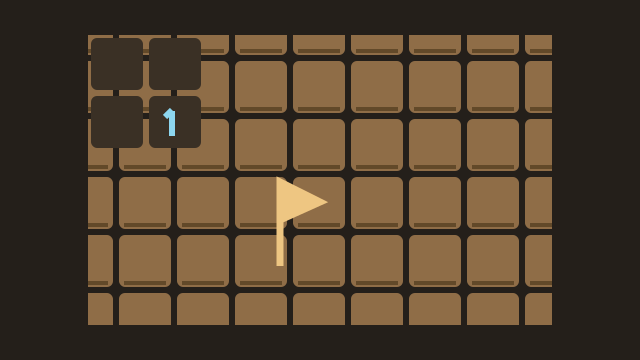
Copperfield is minesweeper on three field sizes, with a safe first opening, flags, a timer and saved best times.
- Genre
- Puzzle
- Players
- 1
- Works on phone
- Yes
- Length
- Until every safe square is open
How to play
- Choose Meadow, Quarry or Ridge, then tap or click a square. The timer starts with your first opening. The opening square and every square touching it contain no mines.
- A number counts mines in its eight neighboring squares. Right-click or hold a covered square for 450 milliseconds to flag it. On a phone, Flag mode lets a short tap place or remove a flag instead.
- Open all safe squares to win. Tap an open number to open its neighbors when you have placed the matching number of flags. New field starts a different board at the selected size.
Tips
- Read a 1 as exactly one nearby mine. If just one of its touching squares is still covered, flag that square.
- Once a number's mines are correctly flagged, its other neighbors are safe. Check the flags before tapping the number: a wrong flag can make that move hit a mine.
- Start with Meadow on a phone. Quarry and Ridge keep readable squares and scroll inside the field, so you can inspect their edges without shrinking the numbers.
About Copperfield
Copperfield turns the board into an earth-colored survey field. Meadow has 81 squares and 10 mines; Quarry has 256 squares and 40; Ridge has 480 squares and 99. The number above the field subtracts placed flags from the mine count. You win by opening safe ground, even if some mines remain unflagged.
Mines are placed only after the first opening. That first square and its touching neighbors are excluded from placement, giving you an empty opening to work from. Our rules check tried all 817 possible starting squares across the three sizes. Every opening had zero neighboring mines and every generated board had its specified mine count.
A completed field records its time separately for that size. Best times stay in this browser, so beating Meadow does not overwrite Quarry or Ridge. The clock stops on a win or a mine hit. Covered squares stay locked after the result; choose New field for another round.
Is the first click always safe in this minesweeper?
Yes. Mines are placed after your first opening and excluded from that square and its neighbors. The rules check verifies all 817 possible first squares across the three sizes.
Do you have to flag every mine to win?
No. You win when all non-mine squares are open: 71 on Meadow, 216 on Quarry or 381 on Ridge. Flags help you keep track of dangerous squares.
Where are my best minesweeper times saved?
Each field size has its own best time in this browser's local storage. A new visit on the same browser can read it; another device has a separate set.
About the rules and tools
- Minesweeper rules and patterns. Explains number clues, flags and opening neighboring squares. Copperfield uses those rules with its own three fields.
- MDN: browser storage. Describes the browser storage that keeps a separate best time for each field size.
How this game was made
The first-opening check covered 81 Meadow squares, 256 Quarry squares and 480 Ridge squares. All 817 had an empty starting neighborhood. Further tests checked flags, flood openings, wins, mine hits and opening neighbors beside a flagged number.
This was the prompt:
Make an original minesweeper game called Copperfield with copper survey markers and earth-colored squares on the puzzle starter. Three board sizes: 9 by 9 with 10 mines, 16 by 16 with 40, 30 by 16 with 99. First click and its neighbors always safe. Right-click or long-press to flag, plus a flag-mode button. Timer, saved best times, touch and instant new field.
- Four-game build
- 5.8 minutes
- Model cost
- Not reported
- Game file
- 10.1 kB
OpenAI Codex wrote these games using the kit's puzzle starter and builder. The clock covers all four games from setup to their first compiled builds and passing rules checks. Codex session pricing was not supplied by the runtime. Open the build measurements.